
|
Are you connected to Riverview on LinkedIn?
Monday, 10 August 2026
|
|
If you are on LinkedIn, it is worth taking a moment to check the Education section of your LinkedIn profile. Simply including "Riverview" as text is not always enough. Your education entry needs to be connected to the official Saint Ignatius' College Riverview LinkedIn page for LinkedIn to recognise you as an alumnus of the College. What does a correctly linked profile look like? In this example below, the College name is clickable and accompanied by the official College logo. This indicates that the education entry is connected to the College's LinkedIn page.  When adding or editing your education details, begin typing Saint Ignatius' College Riverview and select the official College page from LinkedIn's suggested results: 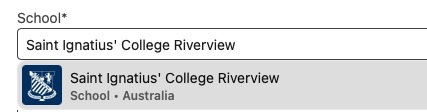 Do not simply type the College name as unlinked text. Why does linking your profile matter? Once your education entry is correctly linked, you become part of Riverview's searchable alumni community on LinkedIn. 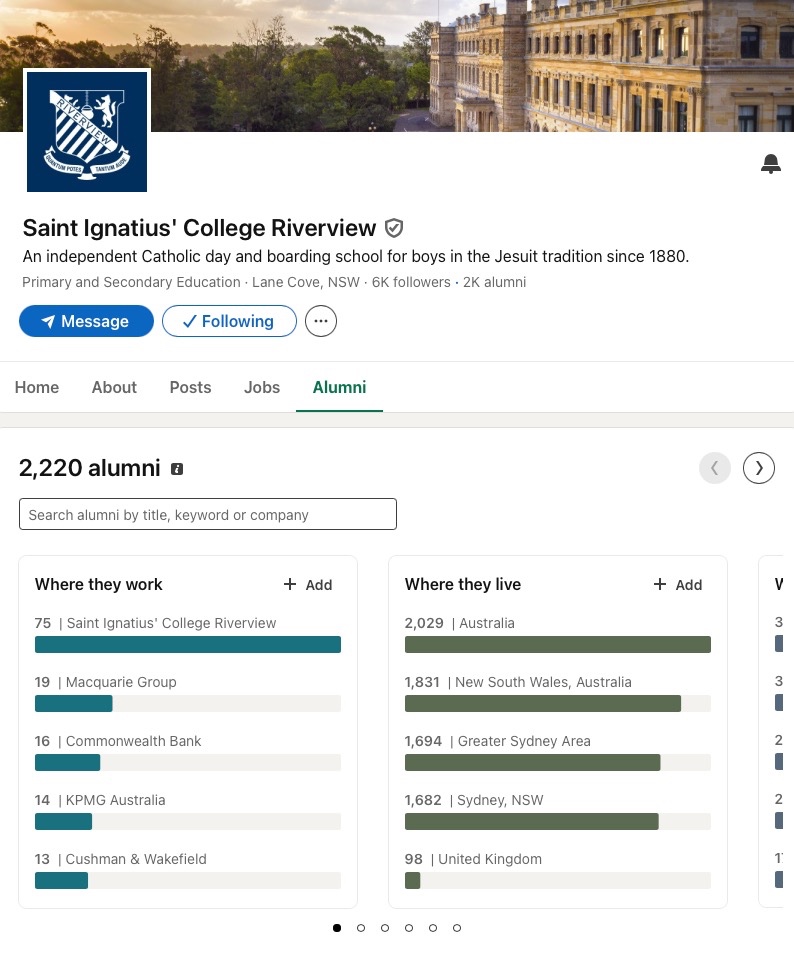 The Alumni section of the College's LinkedIn page allows Old Boys to explore the wider Riverview network, including where alumni:
A correctly linked profile makes it easier for Old Boys to find and support one another—and helps the OIU and the College remain connected with the broader alumni community. How to check or update your profile 1. Open your LinkedIn profile and go to the Education section. 2. Check whether Saint Ignatius' College Riverview is listed. 3. Click the College name to confirm that it opens the official College LinkedIn page. 4. If it is not linked, edit the entry and begin typing the College's full name. 5. Select the official Saint Ignatius' College Riverview page from LinkedIn's suggested results and save your changes. This only takes a minute—but it helps strengthen the Riverview alumni network for everyone. |